
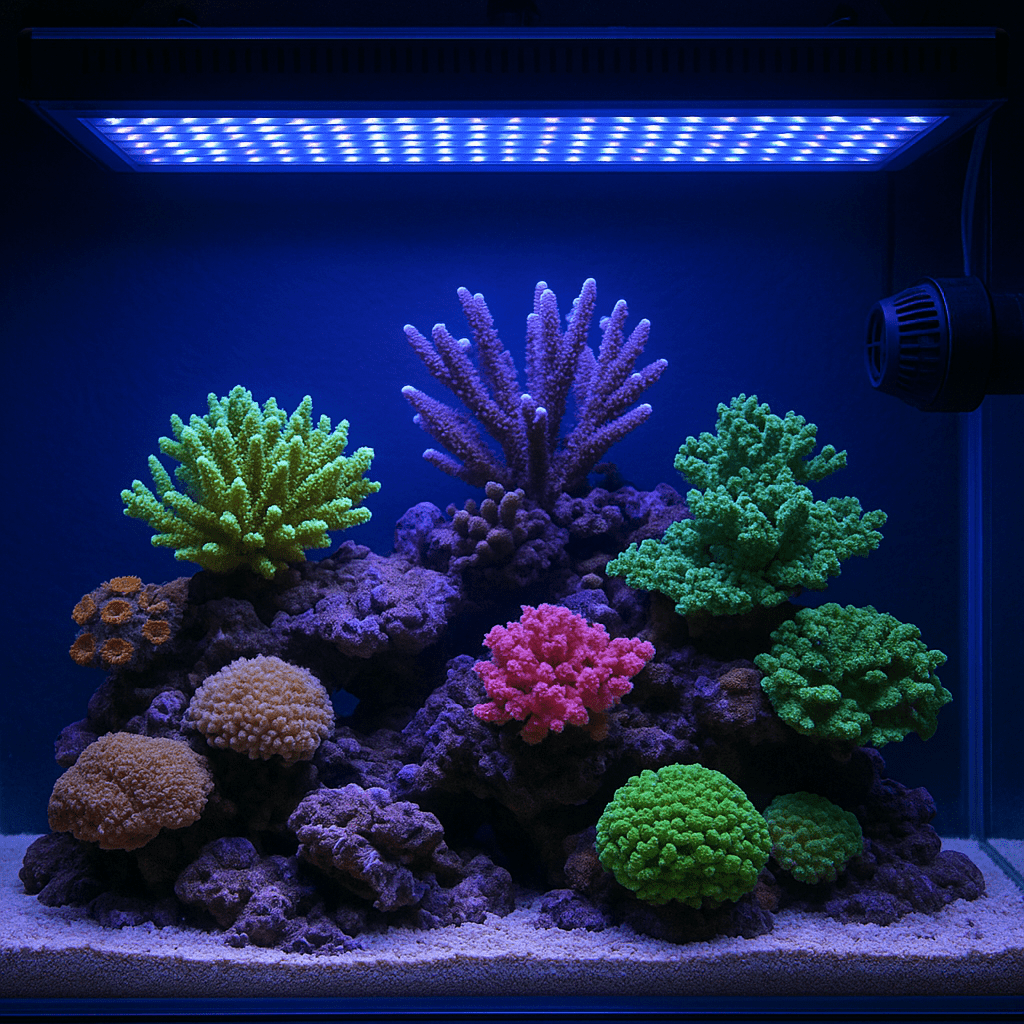
Reef LED intensity settings control far more than brightness. They shape coral color, growth, and long-term health. Most reef tanks do best with moderate, stable intensity rather than extreme output. The goal is enough usable light for photosynthesis without causing bleaching, tissue recession, or algae problems.
Many hobbyists struggle with LED settings because every tank is different. Tank depth matters. Rockwork matters. Coral type matters. Even water clarity changes the final result. In this guide, you will learn how to set reef LED intensity safely, how to match intensity to coral groups, and how to troubleshoot common lighting mistakes before they damage your reef.
Quick Reference Table
| Coral Type | Typical PAR Range | Suggested LED Intensity Approach | Placement |
|---|---|---|---|
| Soft corals | 50–100 | Low to moderate intensity | Bottom to middle |
| LPS corals | 75–150 | Moderate intensity with gradual acclimation | Bottom to middle |
| Easy SPS | 150–250 | Moderate to moderately high intensity | Middle to upper rockwork |
| High-light SPS | 250–350+ | Higher intensity only with stable nutrients and flow | Upper rockwork |
| New frags | Start 25–40% below target | Ramp up slowly over 2–4 weeks | Lower than final position |
Use this table as a starting point, not a strict rule. One brand’s 50% output can be stronger than another brand’s 80%. A PAR meter gives the best answer. If you do not have one, use coral response and slow adjustment to guide your settings.
What Reef LED Intensity Really Means
Intensity is the amount of light your fixture delivers to the tank. It is not just the number shown in the app. That number only reflects the fixture’s output setting. Corals respond to the actual light reaching their tissue.
This is why two tanks can run the same fixture at the same percentage and get very different results. Mounting height changes spread and punch. Water depth reduces intensity. Dirty lenses and salt spray block light. Dense screen tops also lower PAR.
For reef keepers, the most useful way to think about intensity is coral demand. Soft corals usually need less. Many LPS corals prefer moderate levels. SPS corals often need more, but they also need stable alkalinity, nutrients, and strong flow. High light alone will not make SPS thrive. It can actually make weak corals decline faster.
If you are unsure, start lower than you think. Corals usually handle slightly low light better than sudden excess light. That simple habit prevents many common reef lighting problems.
How to Choose the Right Intensity for Your Reef
Start by identifying your coral mix. A mixed reef needs compromise. You cannot light the entire tank like an SPS grow-out system if you keep mushrooms, zoanthids, euphyllia, and acans on the sand bed.
Next, consider tank depth. Shallow tanks need less output. Deep tanks need more punch or better fixture coverage. A 20-gallon lagoon and a 24-inch-deep reef will not use the same settings.
Then assess fixture spread. Hot spots are common with LEDs. The center may be much brighter than the edges. Corals directly under the cluster can bleach while nearby corals stretch for light. Raising the fixture often improves spread. It may also reduce harsh shadows.
Finally, look at nutrient levels and coral health. Very low nutrients combined with high intensity often produce pale corals. Moderate nutrients usually support better color and tissue density. If your nitrate and phosphate are near zero, avoid chasing extreme light levels.
For more help with balanced husbandry, see water chemistry basics, reef tank PAR guide, and mixed reef tank setup.
Step-by-Step Guide to Setting Reef LED Intensity
Step 1: Set a realistic target. Match your target to the corals you keep. Soft coral tanks can stay modest. Mixed reefs usually do well in the middle. SPS-dominant tanks need higher PAR and tighter stability.
Step 2: Start lower than the final goal. If the tank is new, or the fixture is new, reduce intensity by 25 to 40 percent from your expected target. This gives corals time to adjust.
Step 3: Keep the photoperiod reasonable. Most reef tanks do well with 8 to 10 hours of peak lighting. Long photoperiods do not always help corals. They often help algae instead.
Step 4: Increase slowly. Raise intensity by 3 to 5 percent per week. Watch coral tissue, extension, and color. Slow changes are safer than big jumps.
Step 5: Adjust placement before power. Move high-light corals upward first. Move low-light corals lower or into partial shade. This is often easier than changing the whole light program.
Step 6: Reassess after two weeks. Corals respond slowly. A frag may look fine for several days before showing stress. Give each change enough time.
Step 7: Document everything. Save screenshots. Write down percentages. Note coral response. This makes future adjustments much easier.
Lighting Requirements by Coral Type
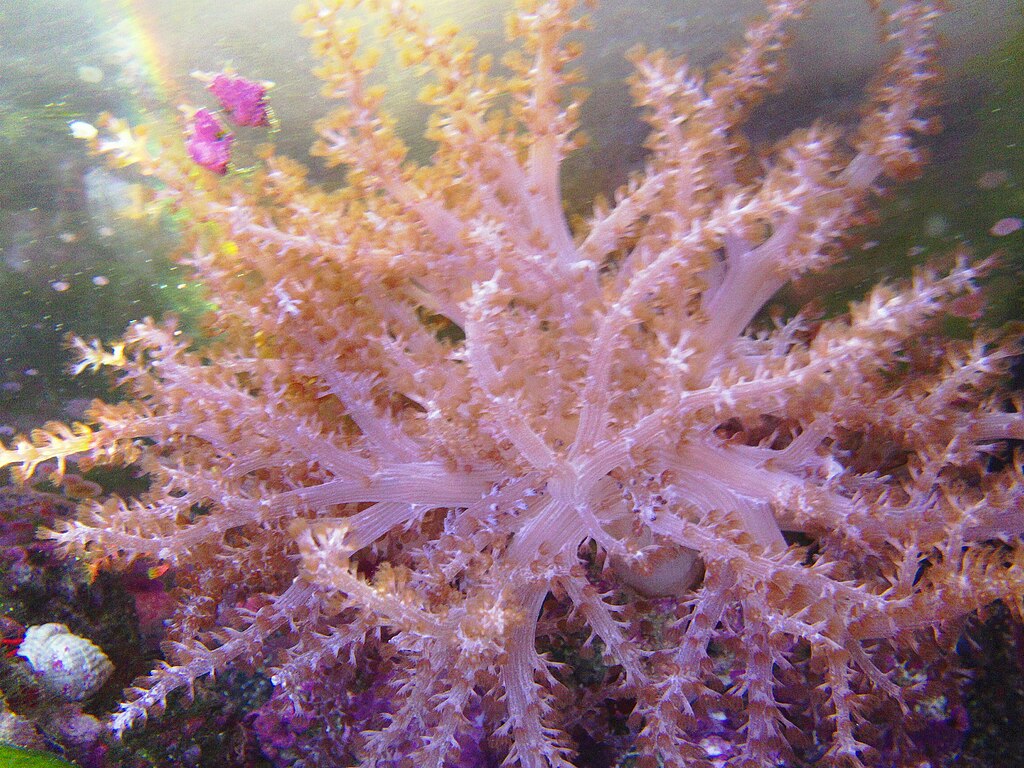
Soft corals usually prefer gentler light. Mushrooms, leathers, and many zoanthids often color up well under lower to moderate intensity. Too much light can cause shrinking, bleaching, or failure to open fully.
LPS corals vary more than many beginners expect. Hammers, torches, frogspawn, acans, and favias usually prefer moderate light. They often inflate better away from the brightest zone. Too much intensity can lead to receding flesh or washed-out color.
SPS corals generally need more PAR, but not every SPS wants the same level. Montipora and birdsnest often adapt to moderate-high light. Acropora usually demand stronger light, strong flow, and stable chemistry. If alkalinity swings, high intensity can increase stress quickly.
Remember that spectrum and intensity work together. Blue-heavy programs can look dim to your eyes while still delivering strong PAR. Never judge reef LED intensity by appearance alone. Corals do not care how bright the tank looks to you.
Aquarium Setup Factors That Change Intensity
Tank design changes everything. A shallow frag tank may need surprisingly low settings. A deep display with a center brace may need stronger output or multiple fixtures.
Rockwork also affects usable light. Tall bommies create bright peaks and shaded valleys. Overhangs help low-light corals. Open aquascapes improve spread and reduce dead zones. This is one reason modern reef scapes often use fewer, more open structures.
Mounting height matters too. Low-mounted LEDs create stronger hot spots. High-mounted LEDs spread better but lose punch. Many reef keepers find a middle ground works best. Follow the fixture manufacturer’s mounting range, then fine-tune from there.
Water clarity is often overlooked. Yellow water from dissolved organics can reduce light penetration. Dirty glass, dusty splash shields, and salt creep do the same. Before increasing intensity, clean the fixture, glass, and covers. That simple maintenance step can restore lost PAR without changing settings.
Water Flow and Nutrients Must Match the Light
High light increases coral demand for gas exchange and nutrient processing. If flow is weak, corals struggle to remove waste and deliver oxygen to tissue. This is especially true for SPS corals placed near the top.
Good flow should be broad, varied, and indirect. You want movement across the colony, not a harsh stream blasting one side. LPS corals often prefer gentler, rolling flow. SPS usually need stronger, more chaotic movement.
Nutrients matter just as much. Corals under stronger LED intensity often pale when nitrate and phosphate are too low. Many hobbyists blame the spectrum first. In reality, the coral lacks enough available nutrition to support the light load.
If you increase intensity, review feeding and nutrient export. Heavy skimming, aggressive phosphate media, and very clean systems can push corals into starvation under bright LEDs. A balanced reef usually shows better color than an ultra-sterile one. You may also want to review coral feeding guide and reef tank nutrient control.
Common Problems
Corals Are Bleaching After a Light Change
This usually points to excess intensity or poor acclimation. It can also happen after switching to clearer water, replacing old lenses, or raising alkalinity while keeping light high. Reduce intensity by 15 to 25 percent. Shorten peak hours slightly. Move affected corals lower. Then hold steady for at least one to two weeks.
Corals Look Brown Instead of Colorful
Brown corals often indicate low light, excess nutrients, or both. Check nitrate and phosphate first. If nutrients are high, improve export before increasing intensity. If nutrients are reasonable and corals are healthy, raise intensity slowly. Better flow can also improve color in SPS.
LPS Corals Stay Closed or Recede
LPS often react badly to too much direct light. They may also dislike strong, direct flow. Move them lower or into partial shade. Check for aggressive neighbors. Review alkalinity stability. Many LPS recover when light and flow are softened.
Algae Increased After Raising LED Intensity
More light fuels algae if nutrients are available. Cut back intensity or shorten the peak period. Remove excess nutrients through water changes, skimming, and targeted export. Avoid making huge changes all at once. Stability still matters.
New Frags Keep Fading or Dying
New frags need acclimation. Start lower than the final position. Use an acclimation mode if your fixture has one. Keep parameters stable. Avoid changing intensity, flow, and placement on the same day. Too many variables make diagnosis difficult.
Propagation and Fragging Considerations
Light for Fresh Frags
Freshly cut corals usually prefer slightly lower intensity than healed colonies. This reduces stress and helps tissue recover. Place new frags in moderate flow and lower light for several days to two weeks, depending on the species.
When to Increase Intensity Again
Once the frag shows polyp extension and stable tissue, move it toward its final PAR range. Increase slowly. Fast jumps can shock a healing frag. This is common with SPS and fleshy LPS.
Grow-Out Systems vs Display Tanks
Frag tanks often use more even, flatter lighting than display tanks. Displays usually have more shadows and more varied coral placement. Do not copy a frag system setting directly into a mixed reef display without adjustment.
Frequently Asked Questions
What percentage should I run my reef LEDs?
There is no universal percentage. It depends on fixture power, mounting height, tank depth, and coral type. Use PAR if possible. If not, start low and increase slowly.
Is 100% intensity too much for a reef tank?
Often, yes. Many quality reef LEDs can produce excessive PAR at full power, especially over shallow tanks. Full output is not automatically better.
How long should reef LEDs stay at peak intensity?
A peak period of 6 to 8 hours works well for many tanks. Total daily lighting time is often 8 to 10 hours, with ramp periods included.
Should I change intensity or spectrum first?
Change one variable at a time. Intensity usually has the stronger immediate effect on coral stress. Keep notes so you can track the response clearly.
Do I need a PAR meter?
You do not absolutely need one, but it helps a lot. A PAR meter removes guesswork and prevents both under-lighting and bleaching from excess intensity.
Final Tips for Stable Reef LED Intensity Settings
The best reef LED intensity settings are stable, measured, and matched to your livestock. Resist the urge to chase dramatic brightness. Corals care more about consistency than spectacle. Start conservatively. Acclimate slowly. Watch coral behavior closely. Then make small, deliberate changes.
If you remember one rule, make it this one. Increase light more slowly than you think you need to. That habit protects coral tissue, reduces setbacks, and leads to better color over time. In reef keeping, patience usually beats power.
Was this helpful?
Related Posts
Best Filtration Systems
Best Filtration Systems for a Healthy Saltwater Aquarium Choosing the best filtration system for your saltwater aquarium is…
 By
By
Clown Triggerfish (Balistoides Conspicillum)
Clown triggerfish are stunning but aggressive marine fish that need very large tanks, strong filtration, and careful tankmate…
[favorite_button]
My Bookmarks:
To see full list click here
[user_favorites user_id="" include_links="true" site_id="" post_types="" include_thumbnails="true" thumbnail_size="thumbnail" include_excerpt="false"]